
In the world of digital marketing, Search Engine Optimization (SEO) plays a crucial role in helping websites rank higher in search engine results pages (SERPs). Google offers a variety of free tools to assist website owners and marketers in optimizing their websites for better visibility. In this guide, we’ll explore some essential Google SEO free tools along with their features and how to use them effectively.
Google Search Console
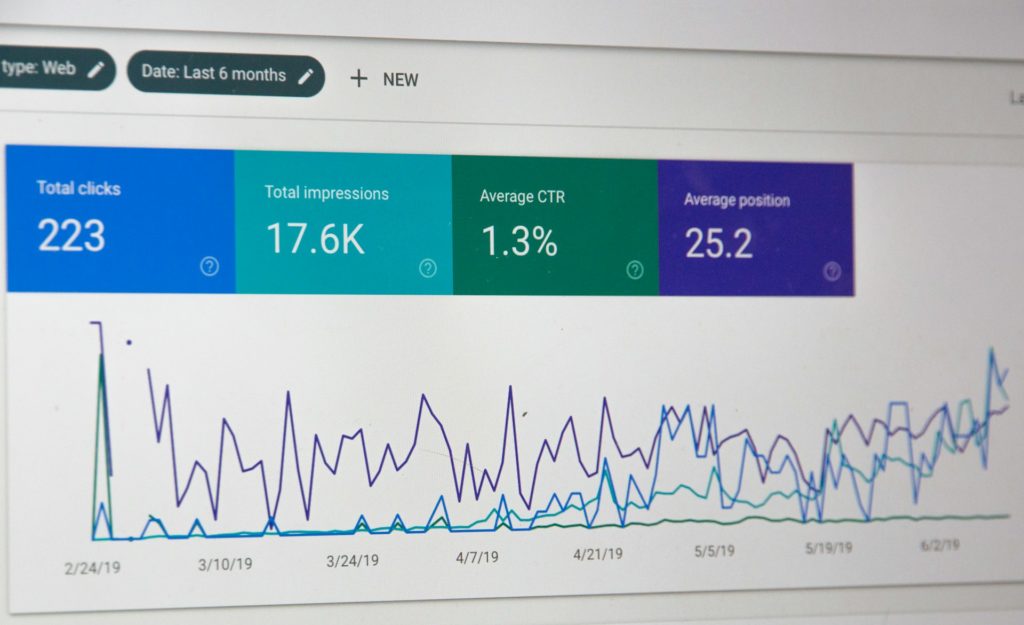
Google Search Console is a powerful tool that helps website owners monitor, maintain, and troubleshoot their site’s presence in Google Search results.
Features:
- Performance Reports: Analyze your site’s performance in Google Search, including clicks, impressions, click-through rates, and average position.
- Index Coverage: Identify indexing issues such as crawl errors, coverage errors, and submit sitemaps for better crawling.
- URL Inspection: Get detailed insights into how Google sees a specific URL on your site.
- Mobile Usability: Check if your site is mobile-friendly and identify any issues affecting mobile user experience.
- Security Issues: Receive alerts for any security issues Google detects on your site.
How to Use:
- Sign in to Google Search Console with your Google account.
- Add and verify your website.
- Explore the various reports and features available to understand your site’s performance and address any issues.
Google Analytics

Google Analytics is a comprehensive web analytics tool that provides valuable insights into website traffic and user behavior.
Features:
- Traffic Analysis: Monitor the number of visitors, sessions, page views, bounce rates, and more.
- Audience Demographics: Understand your audience demographics including age, gender, location, and interests.
- Acquisition Channels: Identify the sources driving traffic to your website such as organic search, social media, referrals, etc.
- Behavior Flow: Visualize how users navigate through your site and identify potential drop-off points.
- Conversion Tracking: Set up goals and track conversions to measure the effectiveness of your SEO efforts.
How to Use:
- Sign in to Google Analytics with your Google account.
- Add your website and install the tracking code on your site.
- Explore the various reports and metrics available to gain insights into your website’s performance and user behavior.
Google Page Speed Insights

Google PageSpeed Insights evaluates the performance of web pages on both mobile and desktop devices and provides suggestions to improve speed and user experience.
Features:
- Page Speed Score: Get a score out of 100 for your page’s speed performance.
- Optimization Suggestions: Receive actionable recommendations to improve loading times such as optimizing images, leveraging browser caching, and reducing server response times.
- User Experience Insights: Understand how your site performs in terms of user experience metrics like First Contentful Paint (FCP) and Largest Contentful Paint (LCP).
How to Use:
- Visit the Google PageSpeed Insights website.
- Enter the URL of the web page you want to analyze.
- Review the results and follow the recommendations to enhance your page speed and user experience.
Google Keyword Planner

Google Keyword Planner helps you discover keywords relevant to your business and provides insights into search volume, competition, and potential traffic.
Features:
- Keyword Research: Find relevant keywords based on your business, products, or services.
- Search Volume Data: Access historical search volume trends and forecasts for specific keywords.
- Keyword Grouping: Organize keywords into ad groups for more targeted advertising campaigns.
- Competition Analysis: Evaluate the competition level for keywords and identify opportunities for optimization.
How to Use:
- Access Google Keyword Planner through Google Ads.
- Enter keywords related to your business or website.
- Explore keyword ideas, search volume data, and competition metrics to inform your SEO strategy.
Google Trends

Google Trends allows you to explore the popularity of search queries over time and compare the relative search interest for different topics.
Features:
- Trend Analysis: View the popularity of search terms over a specific period and compare multiple search queries.
- Geographic Insights: Analyze search trends based on geographical location and identify regional differences.
- Related Queries: Discover related topics and queries that are trending alongside your primary search term.
- Real-Time Data: Access up-to-date insights on what’s trending right now across various categories and regions.
How to Use:
- Visit the Google Trends website.
- Enter your search term or topic of interest.
- Explore the search interest over time, regional interest, related queries, and related topics to understand the search landscape.
Conclusion
Google’s suite of free SEO tools offers invaluable resources for website owners and marketers to enhance their online presence, improve user experience, and drive organic traffic. By leveraging these tools effectively, you can optimize your website for better visibility in Google search results and ultimately achieve your business objectives.
Remember to regularly monitor your site’s performance, implement optimization recommendations, and stay updated with the latest trends and insights in the ever-evolving world of SEO.
Happy optimizing!